Settings
What it is
The Settings page is the control center for app-wide behavior.
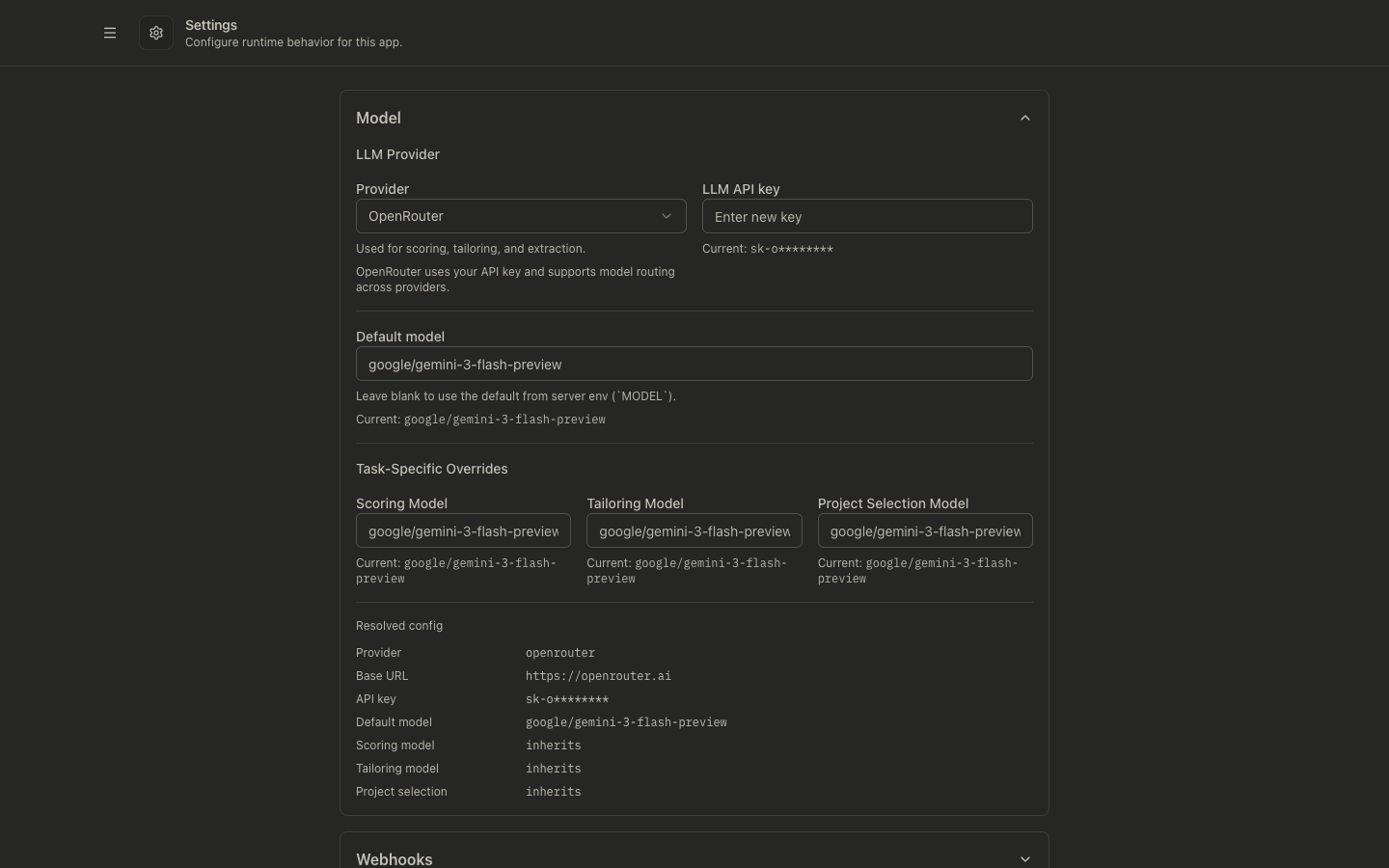
It lets you configure:
- LLM provider and models
- Webhook destinations and secret
- Display and Ghostwriter defaults
- Service credentials and basic auth
- Reactive Resume project selection
- Tracer Links readiness verification
- Backup and scoring rules
- Data-clearing actions in the Danger Zone
Why it exists
Most teams want stable defaults for repeated workflows, without editing environment variables every time.
Settings gives you runtime overrides for the key parts of discovery, scoring, tailoring, and post-application automation.
How to use it
- Open Settings.
- Expand each section you want to change.
- Update values and click Save Changes.
- Re-run the workflow that uses those settings (for example pipeline runs, Ghostwriter, or resume tailoring) to verify behavior.
Section-by-section guide
Model
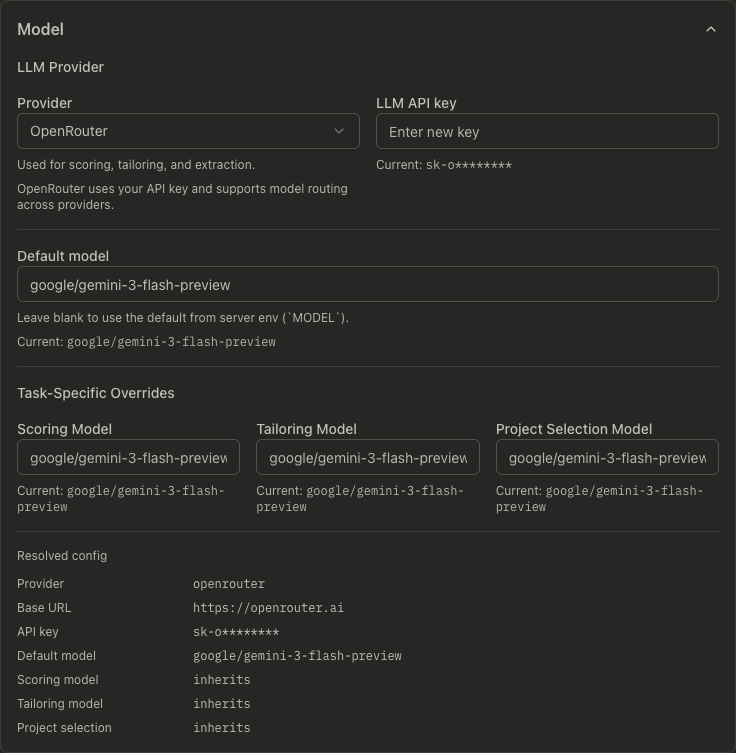
- Choose provider (
openrouter,lmstudio,ollama,openai,gemini) - Set provider-specific base URL/API key when required
- Configure default model plus task-specific overrides:
- Scoring model
- Tailoring model
- Project-selection model
Webhooks
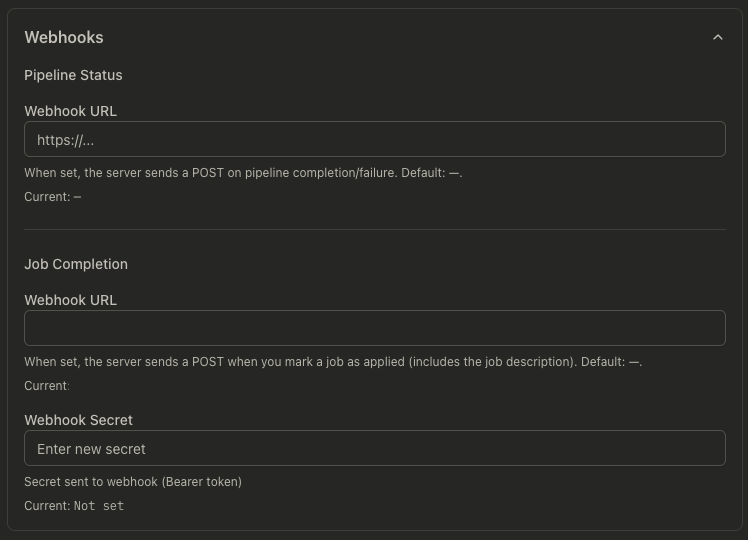
- Pipeline status webhook: called on run completion/failure
- Job completion webhook: called when a job is marked applied
- Optional webhook secret (sent as bearer token)
Display Settings
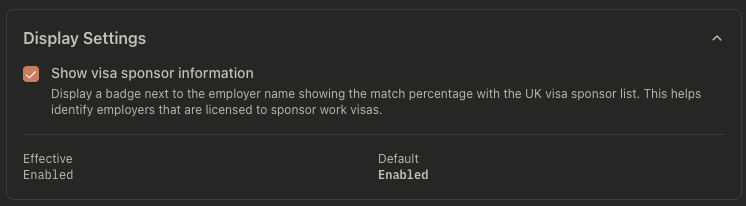
- Toggle visa sponsor badge visibility in job lists/details
Ghostwriter
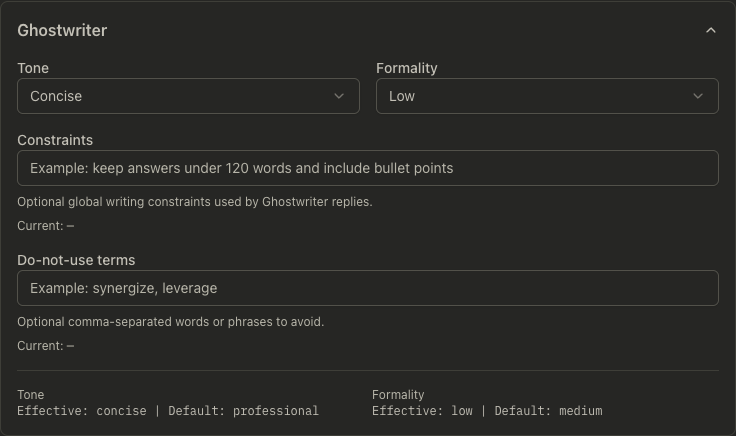
- Set global writing defaults:
- Tone
- Formality
- Constraints
- Do-not-use terms
Reactive Resume
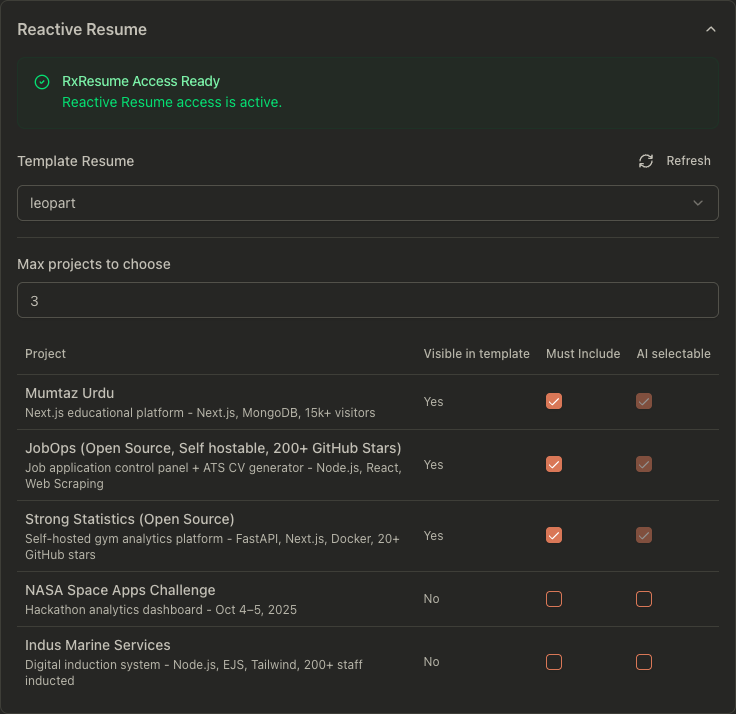
- Select a template/base resume
- Configure project selection behavior:
- Max projects
- Must-include projects
- AI-selectable projects
Tracer Links
- Verify tracer readiness before enabling per-job tracing
- Shows current status (
Ready,Unavailable,Unconfigured, or stale state) - Displays the effective public base URL and last check time
- Provides Verify now for an on-demand health check
Readiness requires:
- a valid public JobOps base URL
- successful reachability of
<public-base-url>/health - non-localhost/non-private host setup for public redirect usage
Environment & Accounts
- Configure service accounts:
- RxResume email/password
- UKVisaJobs email/password
- Adzuna app ID/app key
- Optional basic authentication for write operations
Backup
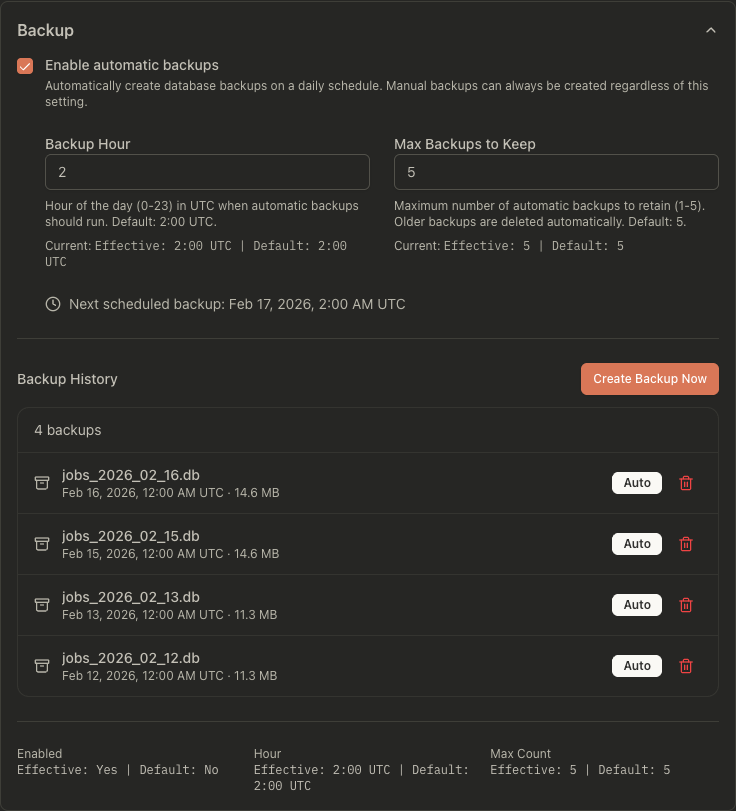
- Enable/disable automatic daily backups
- Configure backup hour (UTC) and max retained backups
- Create or delete backups manually
- See Database Backups for full backup/restore guidance.
Scoring Settings
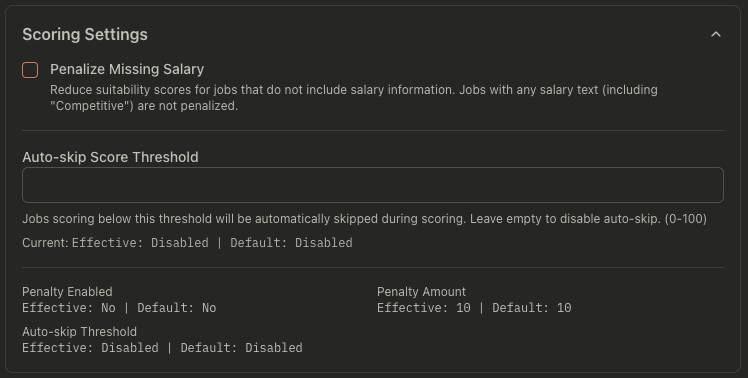
- Penalize missing salary data
- Set penalty amount
- Optional auto-skip threshold for low-score jobs
Danger Zone
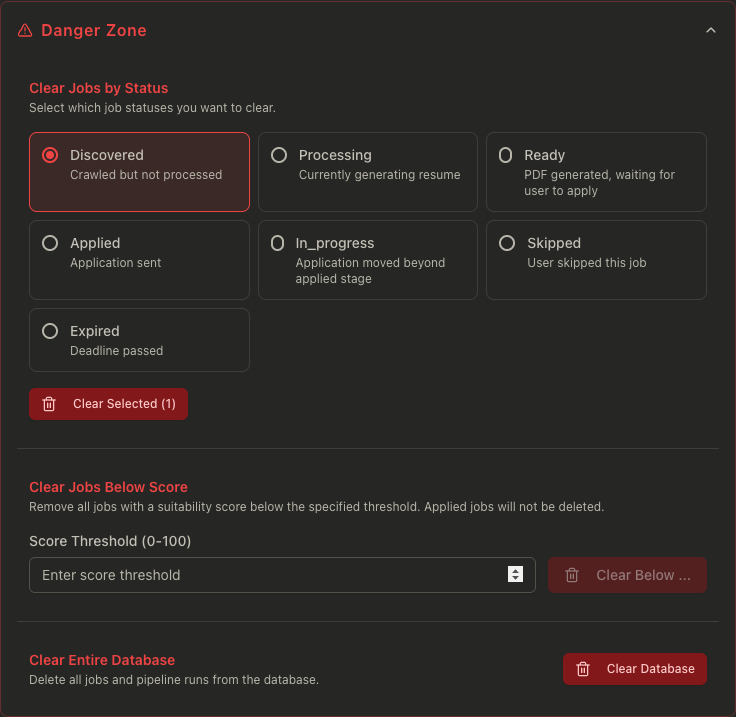
- Clear jobs by selected statuses
- Clear jobs below a score threshold
- Clear the full database
API examples
# Get effective settings (defaults + overrides)
curl "http://localhost:3001/api/settings"
# Update settings overrides
curl -X PATCH "http://localhost:3001/api/settings" \
  -H "content-type: application/json" \
  -d '{
    "llmProvider": "openrouter",
    "model": "openai/gpt-4.1-mini",
    "chatStyleTone": "concise",
    "showSponsorInfo": true
  }'
# List and create backups (used by the Backup section)
curl "http://localhost:3001/api/backups"
curl -X POST "http://localhost:3001/api/backups"
Common problems
Saved value does not seem to apply
- Some settings apply only to new runs/actions after save.
- Re-run scoring/tailoring/pipeline to validate effect.
RxResume controls are disabled
- Configure RxResume credentials in Environment & Accounts first.
- Then refresh available resumes from the Reactive Resume section.
RxResume projects look empty in the RxResume UI
- Root cause: your resume on rxresu.me has an empty Projects section.
- Fix in RxResume first: add project entries to the base resume you selected in Settings.
- Then return to JobOps, refresh/select the same base resume in Reactive Resume, and regenerate the PDF.
- JobOps preserves current visibility state, but it cannot create missing project content if the source resume has no projects.
Webhook calls fail
- Verify URL reachability from the server host.
- Confirm auth expectations on the receiver side (including secret/bearer token).
Tracer links cannot be enabled
- Open Settings → Tracer Links and click Verify now.
- Ensure
JOBOPS_PUBLIC_BASE_URLis set for background/pipeline usage. - Ensure the configured host is publicly reachable and
/healthresponds.