In Progress Board
What it is
The In Progress Board is a kanban view for jobs that have moved beyond initial application.
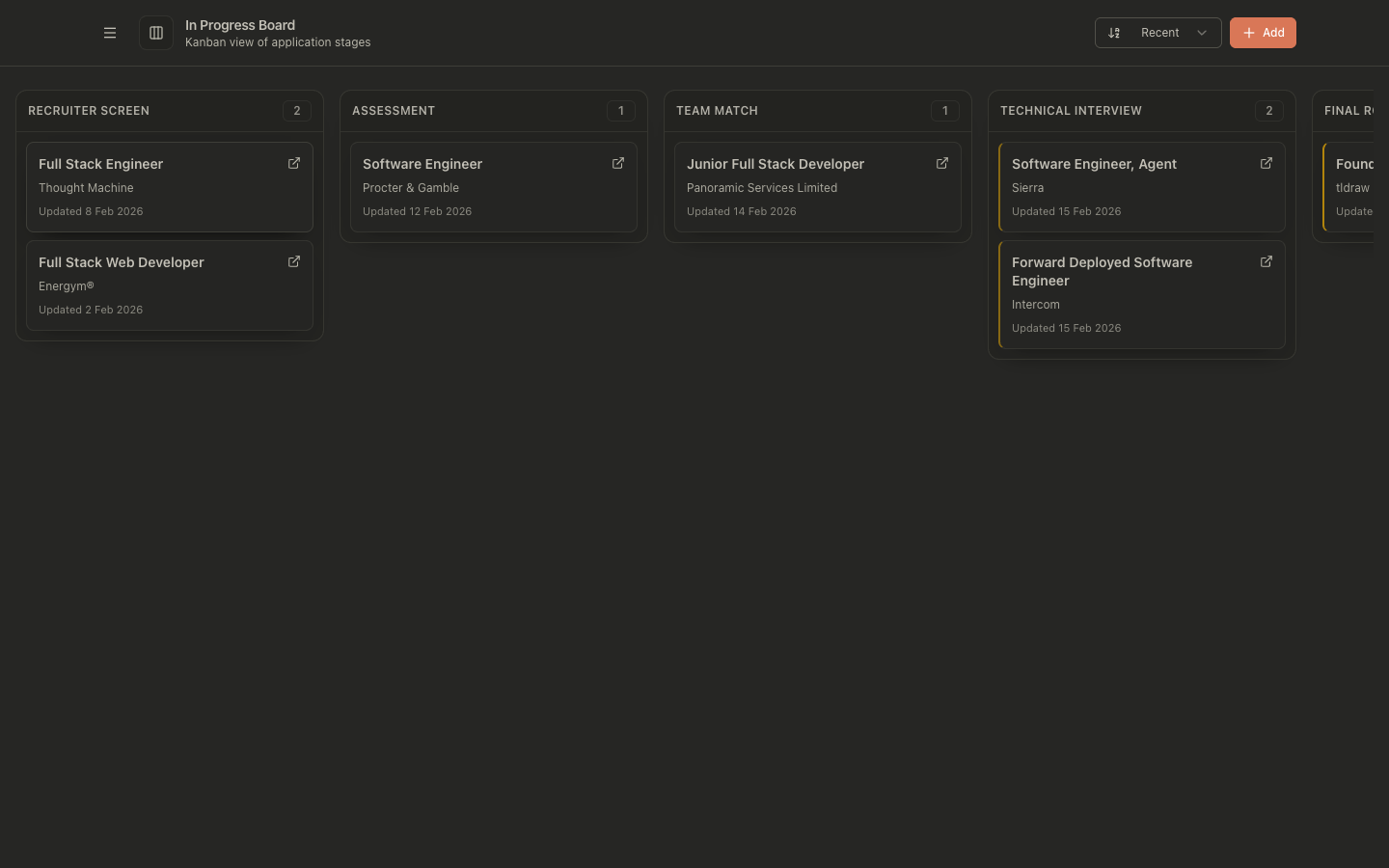
It groups jobs into post-application lanes:
- Recruiter Screen
- Assessment
- Team Match
- Technical Interview
- Final Round
- Offer
- Closed
Why it exists
JobOps uses two operational modes:
- Pre-application tracking (
Jobspage): large volume, pipeline and readiness focused. - Post-application tracking (
In Progress Board): smaller volume, higher attention per job.
Once a job enters the post-application phase, each opportunity usually needs tighter follow-up, interview prep, and deliberate stage management. A kanban board is better for that than a large list.
How to use it
- Open In Progress Board.
- Review jobs by lane to see current stage distribution.
- Drag a card to a new lane to log a stage transition.
- Open a card to view full job details and timeline.
- Use sorting (Recent / Title / Company) to prioritize review.
Celebration Effect
When you successfully move a job listing to the Offer stage (either by dragging a card to the Offer column or by logging an Offer stage event), a congratulatory celebration with confetti and floating balloons will trigger on the screen to celebrate your achievement!
Moving jobs into post-application
Jobs typically move into post-application tracking when they receive a response after applying.
This can happen via:
- Tracking Inbox review/automation (recommended)
- Manual stage transitions in job detail/timeline tools
API examples
# List in-progress jobs
curl "http://localhost:3001/api/jobs?status=in_progress&view=list"
# Move a job to technical interview
curl -X POST "http://localhost:3001/api/jobs/<jobId>/stage-events" \
  -H "content-type: application/json" \
  -d '{
    "toStage": "technical_interview",
    "metadata": {
      "actor": "user",
      "eventType": "status_update",
      "eventLabel": "Moved to Technical Interview"
    }
  }'
Common problems
Board is empty
- Confirm jobs have status
in_progress. - Confirm stage events exist for applied jobs expected on the board.
A card appears in an unexpected lane
- The board uses the latest stage event as source of truth.
- Check timeline events for out-of-order or mistaken transitions.
Drag-and-drop move failed
- Network/API error can roll back optimistic UI movement.
- Retry move and check server logs for validation errors.